No one sends email as you
We check every record that decides whether your mail is trusted, tell you the moment one breaks, and show you exactly what to fix.
- $12 a year
- Every check included
- Score in seconds
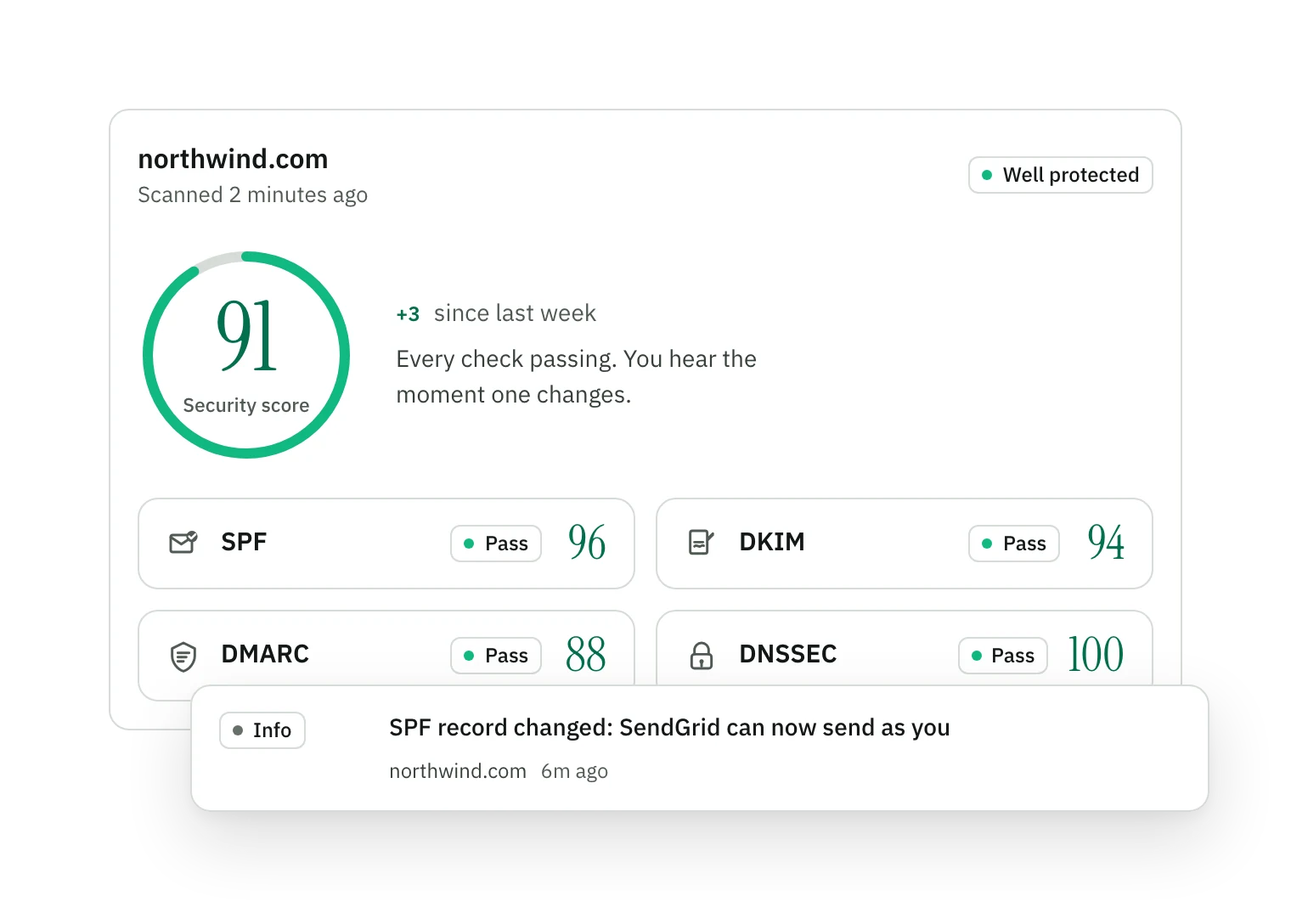
Most domains fail. Monitored ones don't.
Most domains miss the basics that stop someone sending mail as them. The ones we watch pass, because every record is checked and kept that way.
See where your domain stands- SPF
- +39 points
- DKIM
- +63 points
- DMARC
- +61 points
- DNSSEC
- +84 points
From first score to fixed for good
Add your domain
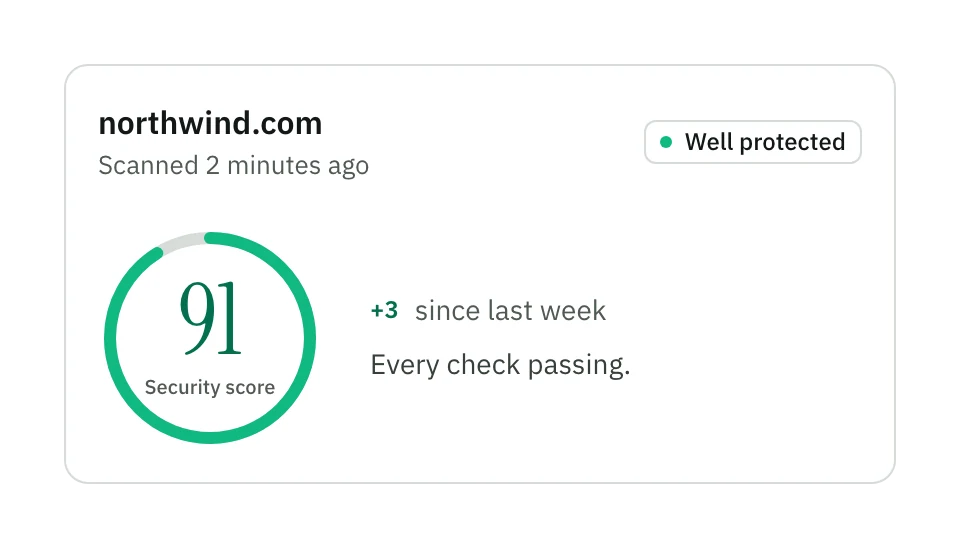
Enter your domain and get an instant security score, with the fixes that matter most first. No DNS changes required: we read your records directly.
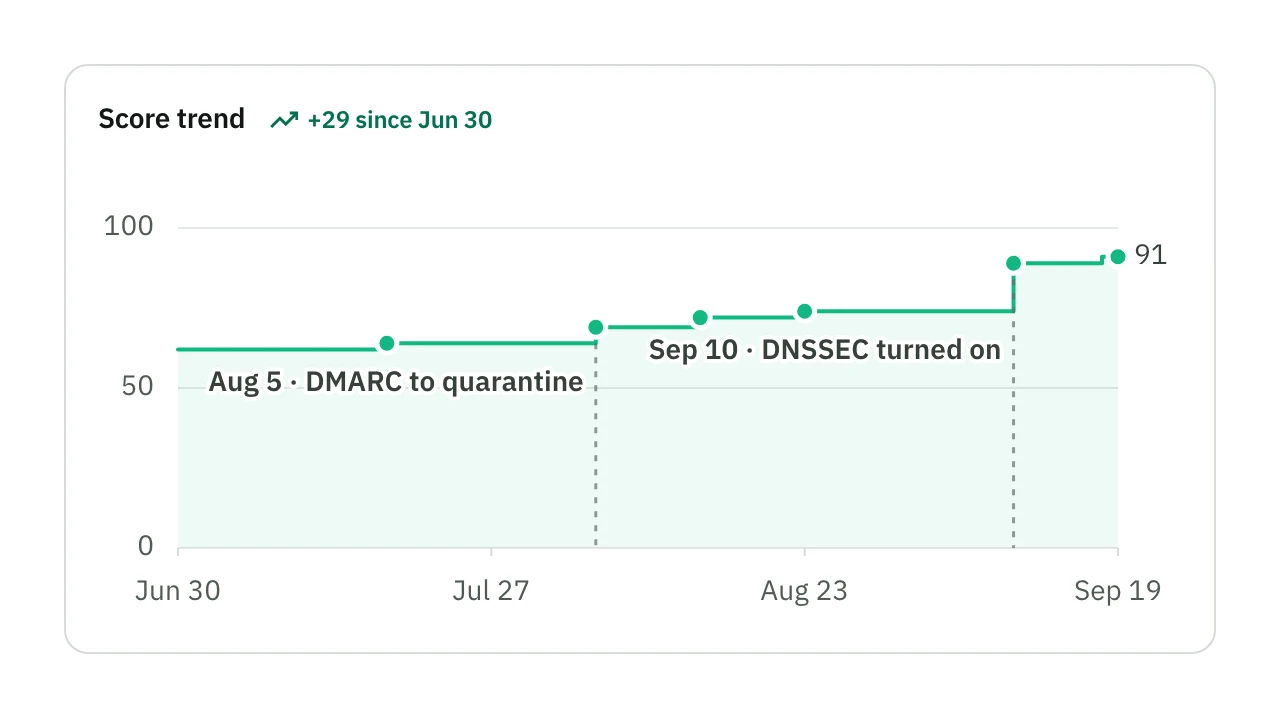
We monitor everything
Continuous scanning across every protocol, plus DMARC report ingestion, transport probes and DKIM selector tracking. Each fix you make shows up in the score.
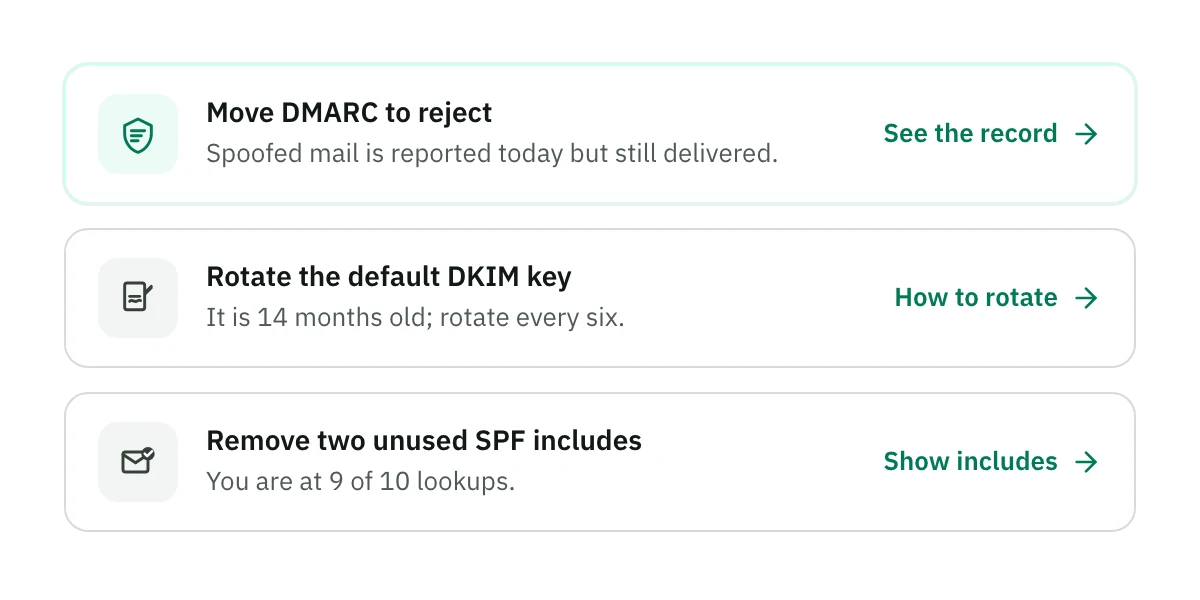
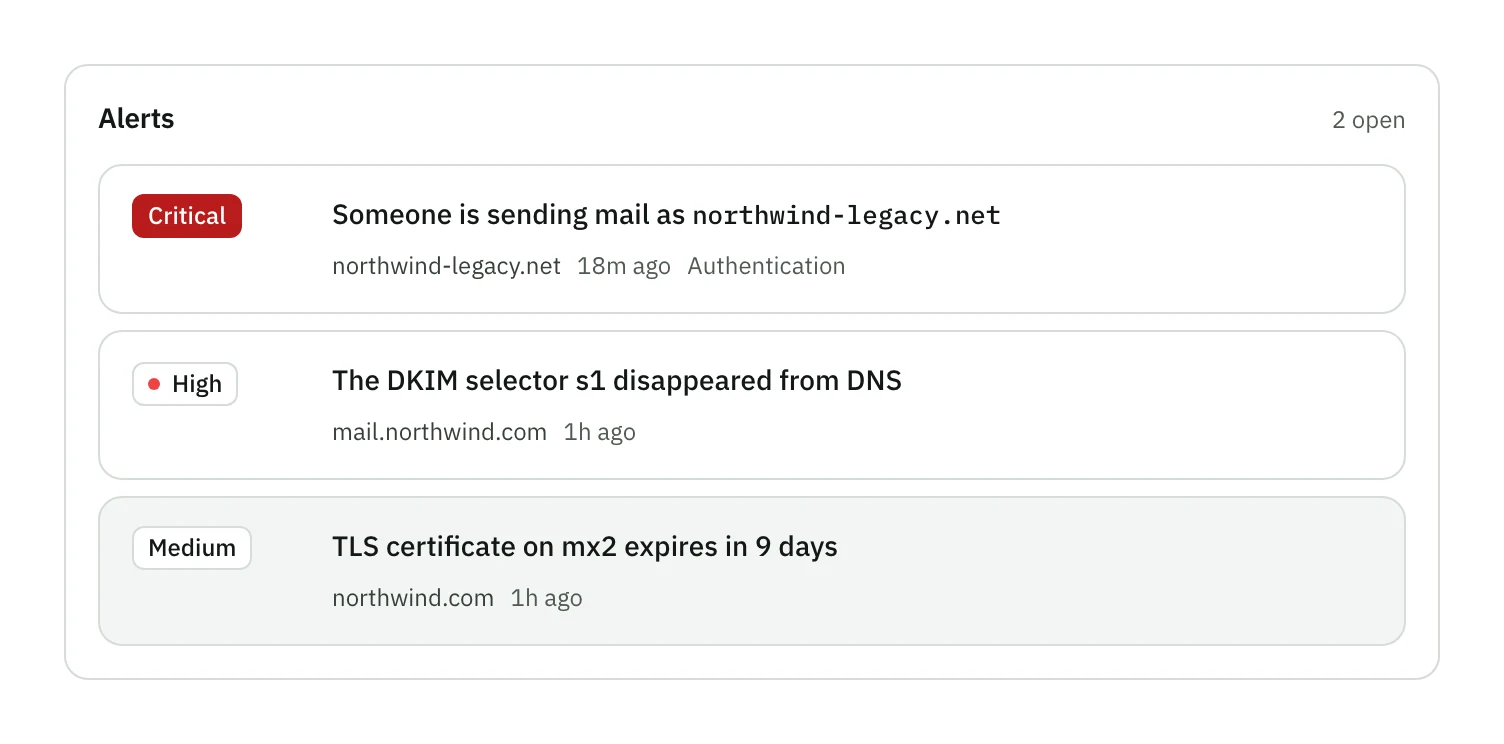
Act on what matters
Alerts ranked by severity and written in plain words, with suppression controls and a record of how each one was resolved.
All of email security, in one place
Pick an area to see every check in it and what each one looks at.
Authentication
Prove who may send as you.
SPF record and policyYour public list of the servers allowed to send as you. Without it, anyone can claim to be you.
SPF 10-lookup limitReceivers stop reading that list after ten lookups. Past that, your real mail starts failing.
SPF void lookupsEntries that point at nothing. Two too many and strict receivers throw the whole list out.
SPF mistakesSmall mistakes in the list that receivers read differently from what you meant.
DKIM key discoveryFinds the keys your mail is signed with, so each signature can be checked against them.
DKIM key strengthShort or outdated keys can be forged. We check each key is strong enough to trust.
DKIM key rotationKeys get stolen the longer they live. We tell you when one is due for replacing.
DMARC policy and alignmentYour instruction to receivers on what to do with mail that fails: deliver, quarantine or reject.
DMARC report destinationsMakes sure your reports only go to addresses that agreed to receive them.
DMARC 2026 rulesThe 2026 rules for DMARC, including how subdomains that do not exist are treated.
DMARC aggregate reportsDaily reports from receivers, turned into a list of everyone sending as you.
DMARC failure reportsCopies of single messages that failed, so you can see exactly what went wrong.
Forwarded mailTells mailing lists and forwarding apart from forgery, so honest mail is not blamed.
Live send testSend us one email and see the exact verdict a real inbox gave it.
Signature replay protectionStops someone resending one of your real signed messages to millions of people.
DKIM2The next version of message signing, which records every hop a message takes.
Transport security
Encrypt every hop between a sender and your mail exchangers.
STARTTLS on every MXYour mail servers can switch to an encrypted connection, so mail is not readable in transit.
MX certificatesThe certificate each mail server shows is valid, trusted and not about to expire.
Outdated encryptionOld versions of encryption have known breaks. We flag servers that still accept them.
MTA-STSA published policy that tells senders never to deliver to you without encryption.
TLS-RPTReports from senders whose encrypted delivery to you failed, so you hear before mail goes missing.
DANEPins your mail server certificates in signed DNS, so a fake server cannot stand in.
RequireTLSWhether your servers accept mail that demands encryption on every hop to its destination.
Published encryption keysWhether your domain publishes encryption keys, so people can send you private mail.
DNS and domain trust
Harden the records the whole system rests on.
DNSSECSigns your DNS answers, so nobody can quietly swap in their own records.
MX recordsThe records that say where your mail goes. A mistake here means mail bounces.
DNS change alertsAn alert the moment any record that controls your mail changes, intended or not.
CAALimits which companies may issue security certificates for your domain.
Reverse DNSYour servers can be looked up by address and back again. Google, Yahoo and Apple require it.
Registrar lockYour domain is locked against transfer and will not lapse, the two easiest ways to lose it.
Dangling DNS and subdomain takeoverOld records pointing at services you dropped. Attackers claim them and send mail as you.
DNS hygieneWildcards that hide missing records, name servers that disagree, and records that refresh too slowly.
Brand
Put your logo in the inbox.
BIMI recordThe record that tells inboxes where to find your logo.
Logo and mark certificateThe logo file and the certificate that proves the logo is yours.
Gmail logo readinessEverything Gmail needs before it shows your logo next to your mail.
Apple Branded MailEverything Apple Mail needs before it shows your logo and name.
Mailbox providers
Land in the inbox at Google, Yahoo, Microsoft and Apple.
Google, Yahoo, Microsoft and Apple readinessYour domain against the sender rules each big provider enforces, one by one.
One-click unsubscribeThe unsubscribe button Gmail and Yahoo require of anyone sending in bulk.
Google Postmaster ToolsYour spam rate as Gmail sees it, and whether Gmail considers you compliant.
Microsoft SNDSHow Outlook.com sees the servers you send from: volume, complaints and spam traps.
Reputation and hygiene
Keep your name off the lists that get mail rejected.
Blocklist monitoringWhether your servers or domain appear on the public lists receivers use to reject mail.
Lookalike domainsDomains one typo away from yours, and whether they are set up to send mail.
Open relayWhether a stranger could use your mail server to send their spam.
Mail server greetingWhat your mail servers say about themselves to anyone who connects.
Autodiscover exposureEmail app setup records that can leak settings or point at servers you retired.
Questions
Do I need to change my DNS records?
No. We read the records you already publish and tell you exactly what to change, and why. We never edit your DNS.
What do you have access to?
Your public DNS records, your mail servers as any sender sees them, the DMARC reports you route to us, and any test message you send us. We never sign in to your mailboxes.
What counts as a domain?
Every domain you add, including a subdomain you send mail from, is one domain. The plan includes five, and you can add more in packs of five.
How often do you check?
Every domain is scanned every 12 hours, and any time you ask for a scan. An alert goes out as soon as a scan sees something change.
What happens when something breaks?
You get an alert ranked by severity, written in plain words, with the record it concerns and the change that fixes it. You can quiet an alert you already know about.
Can I cancel?
Yes, any time, from Billing in the app. Your plan keeps running to the end of the year you paid for, and nothing renews.
Start monitoring for $12 a year
Get your score in seconds, with what to fix first.
- $12 a year
- Every check included
- Cancel any time